In this article
- What is Meta Marketing API
- Do You Actually Need This?
- API vs. Ads Manager
- Setting Up Access Without the Headache
- 1. Spin up a Developer App
- 2. Connect Business Manager
- 3. Understand Your Permissions
- 4. Choosing the right token
- Verify before you build
- First call
- Building Campaigns Programmatically
- 1. Campaign JSON codes
- 2. Ad Set JSON codes
- 3. Ads and creatives
- Surviving Production at 1:00 AM
- 1. Business Use Case (BUC) Rate Limits
- 2. The Sneaky Batch Success
- FAQ
- Is the Marketing API free?
- Do I need App Review?
- Marketing API vs. Graph API, Chad what’s the difference?
- Where’s my ad account ID?
- How often do new versions ship?
- Does this cover Instagram ads?
- Best token type for production?
- What about iOS 14?
If your Monday morning routine involves exporting endless CSV files from Meta Ads Manager for a dozen different clients, you are living in spreadsheet purgatory.
The Meta Marketing API is the exit ramp. It allows code to do the heavy lifting: building campaigns, shifting budgets, and pulling data while you sleep. But let’s be completely honest before you read any further: most advertisers do not need this.
The API only earns its keep when human hands become the bottleneck. We are talking about managing dozens of accounts, running hundreds of live variations, swapping creatives weekly, and routing data straight into a warehouse instead of a Google Sheet.
Here is exactly how the ecosystem fits together, how to bypass the notorious token headaches, and how to build a setup that survives the weekend.
What is Meta Marketing API
Stripped of the marketing buzzwords, the API is just a direct back-door into the exact same advertising machine that powers Ads Manager. Your code sends a structured request, Meta processes it, and data comes back.
It helps to think of it not as one massive API, but as three distinct tools bundled together:
The Ad Library API: The research tool. It offers programmatic access to public ads for competitive analysis. Keep expectations low here, spend and impression data return as broad ranges, not exact numbers.
The Marketing API: The core tool. It handles the structural stuff from creating campaigns, editing budgets, and tweaking ad sets.
The Ads Insights API: The reporting engine. While the core API tells you what an ad is, Insights tells you how it performed (spend, clicks, conversions). Crucial note: Insights requests are asynchronous. You don’t get data instantly; you submit a job, let it cook, and pull the results when it’s done.
| API | What it’s for | Typical user |
|---|---|---|
| Marketing API (core) | Creating and managing campaigns, ad sets, ads | Developers, growth engineers |
| Ads Insights API | Performance data and reporting | Data teams, performance marketers |
| Ad Library API | Competitor ad research | Strategists, researchers |
All three live inside Meta’s broader Graph API, where every object is a node and the connections between them are edges. The Marketing API is a specialized slice of that graph, scoped to advertising.
Do You Actually Need This?
Probably not. Building a custom integration comes with a real tax on your time. Meta updates its API versions quarterly, meaning someone on your team has to regularly check for breaking changes.
The cost only makes sense if you fall into one of these buckets:
| Your Situation | Why the API is Necessary |
|---|---|
| Multi-Account Agencies | Managing 30+ client accounts in a browser will break your wrists. The API allows bulk, unified control from one script. |
| Advanced Automation | Custom budget pacing, intricate creative rotations, and specific dayparting logic don’t exist inside Ads Manager’s basic rule engine. |
| Data Plumbing | If your reporting lives in a BI tool or custom dashboard, manual CSV downloads need to die. |
API vs. Ads Manager
These aren’t competitors. They’re two interfaces to the same machine, and the question is never “which one is better”. It’s which one fits the operation in front of you.
| Differences | Ads Manager | Marketing API |
|---|---|---|
| Interface | Visual, in the browser | HTTP requests, your code |
| Setup | None | App, tokens, permissions, review |
| Automation | Basic rules | Anything you can write |
| Multi-account work | One at a time, manually | Native |
| Reporting | Pre-built dashboards | Any metric, any breakdown, any destination |
| Ongoing maintenance | None | Version upgrades, token management |
The browser wins on speed for one-off work. The visual layout also surfaces anomalies you’d miss scanning raw JSON.
The API wins everywhere volume matters. Most teams I’ve worked with end up using both: Ads Manager for daily review and quick interventions, the API for bulk operations, scheduled reporting, and anything that runs while people sleep.
Setting Up Access Without the Headache
Getting authorized usually takes under an hour if you follow these four steps in order:
1. Spin up a Developer App
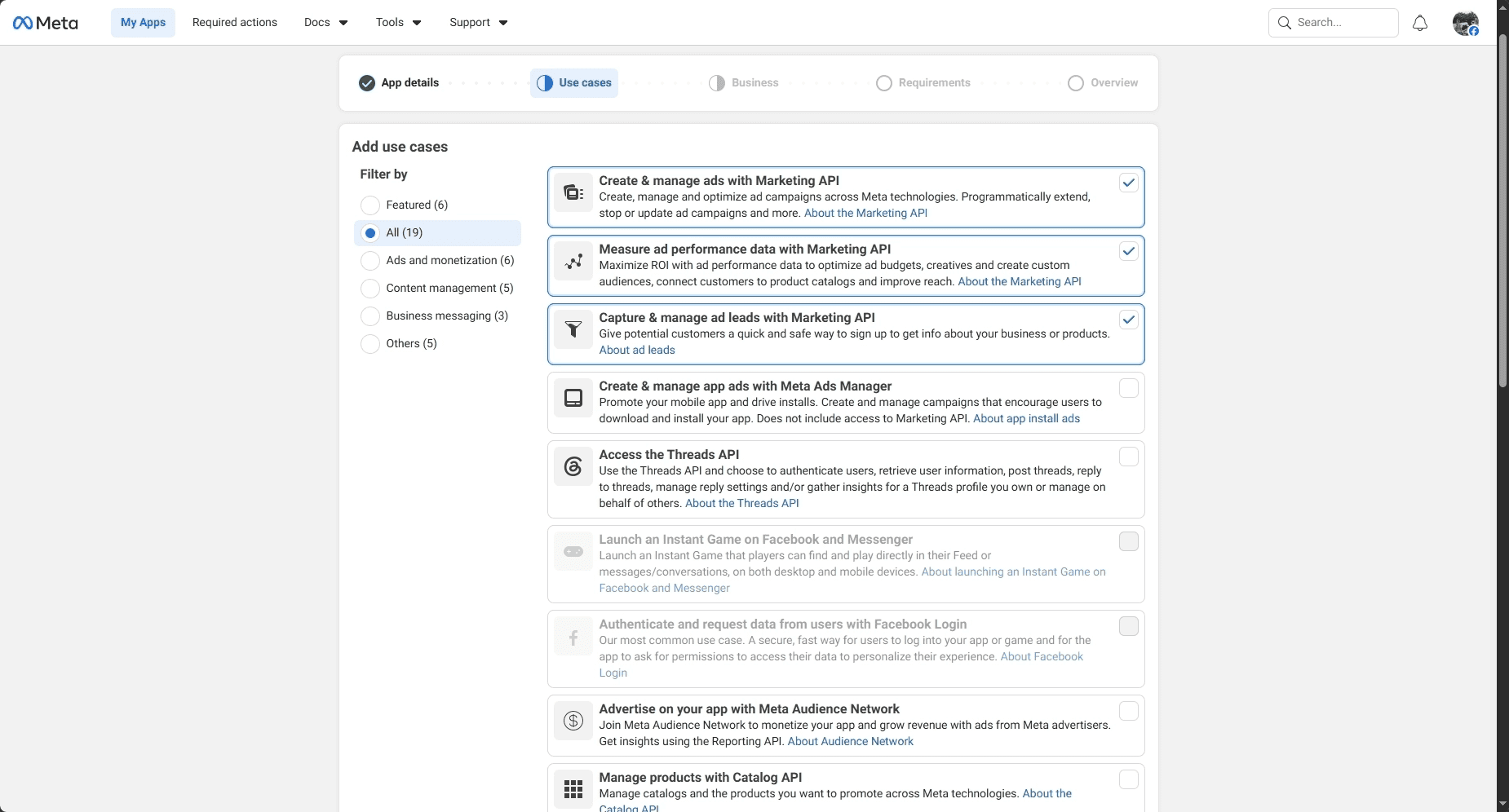
Head over to Meta Developer, create a new app, and find the Use Cases panel. Add the Marketing API to open up the necessary advertising endpoints.
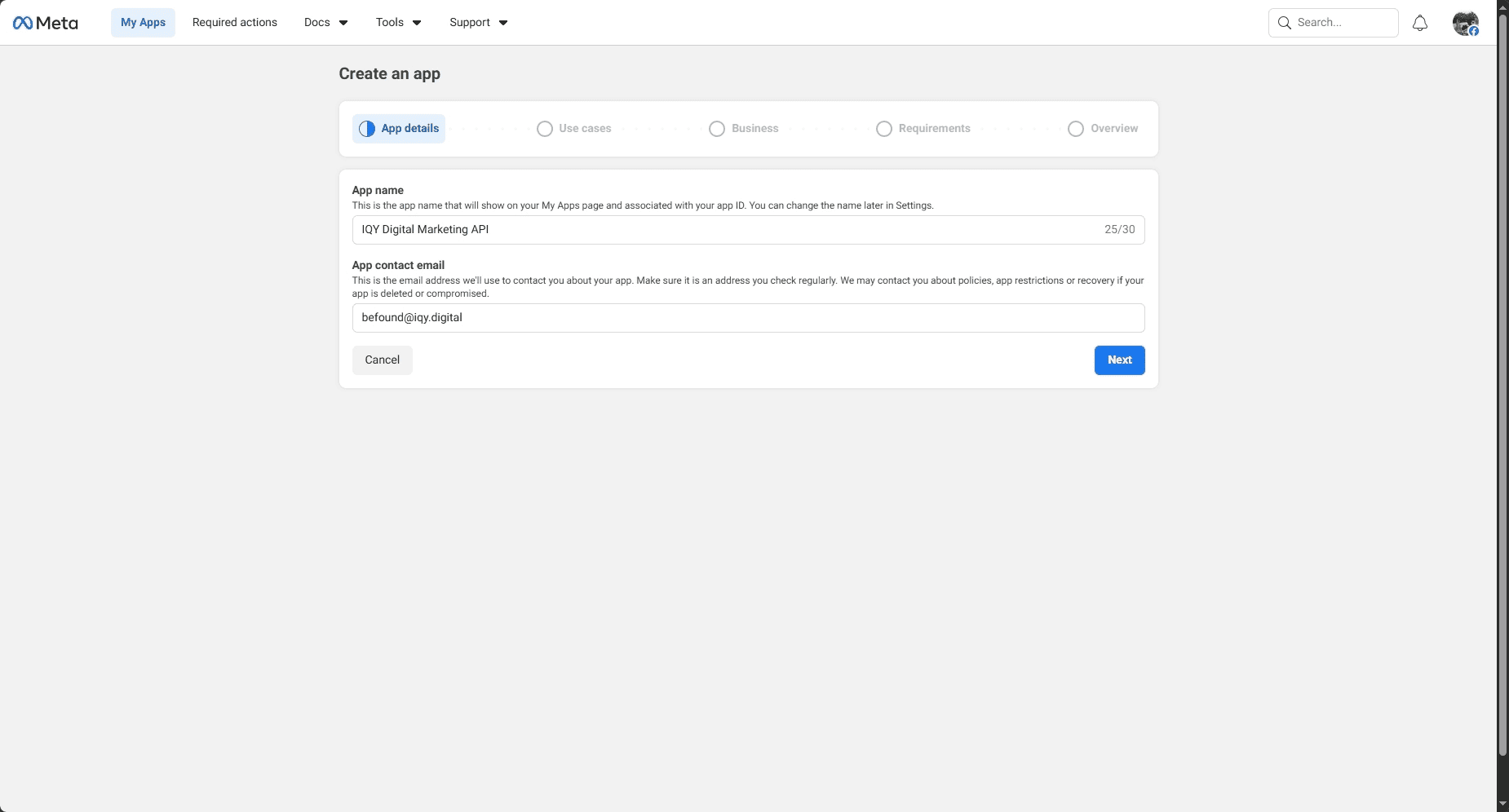
Then, in the app dashboard, find Use Cases and add Marketing API. That switches on the advertising endpoints.
2. Connect Business Manager
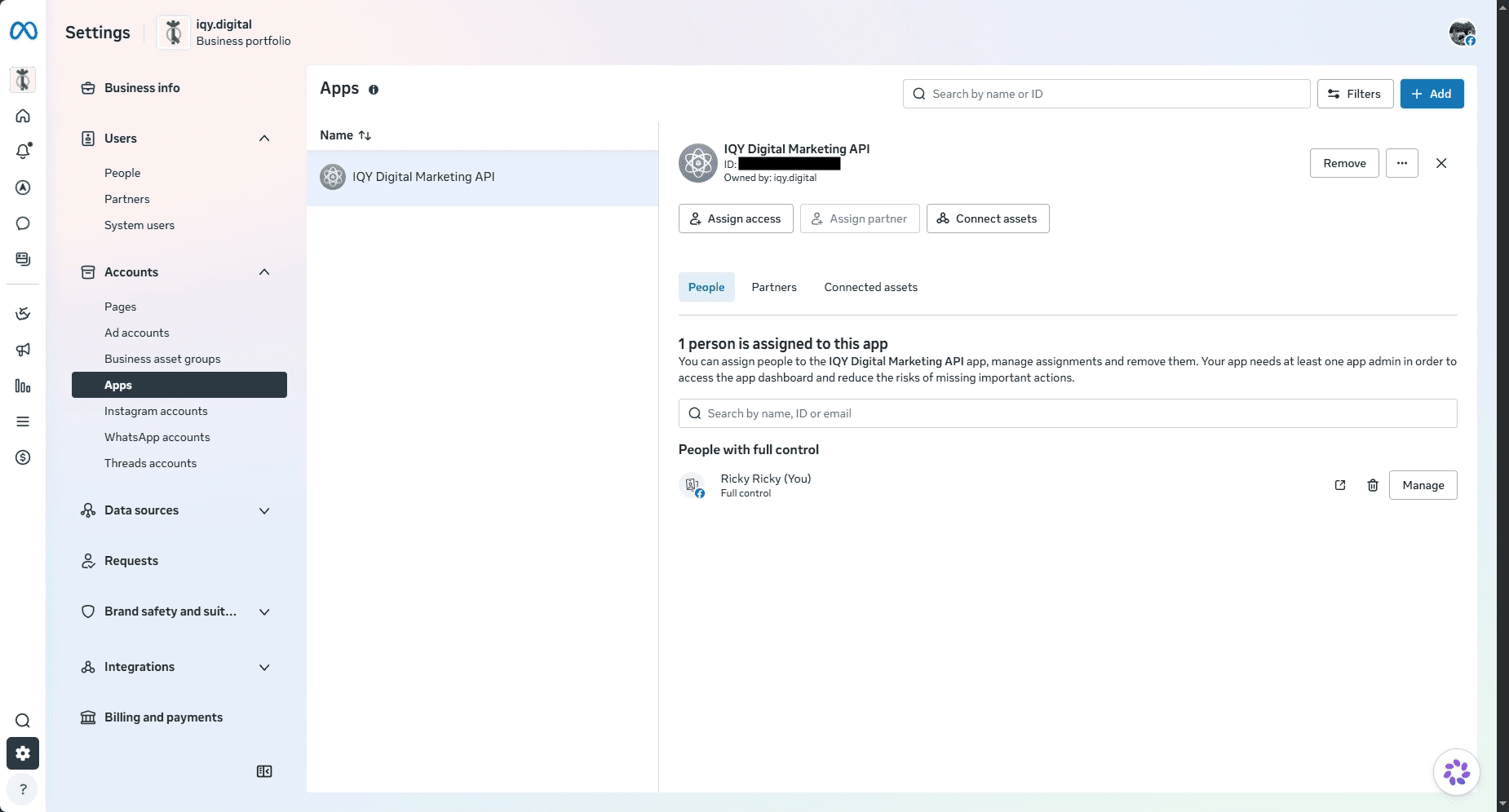
Attach your new developer app to your Business Manager account. Agency golden rule: never ask clients for their personal login credentials or user tokens. Instead, use Partner Access. Have the client grant your Business Manager permission from their dashboard. It’s cleaner, safer, and won’t break when they change their password.
3. Understand Your Permissions
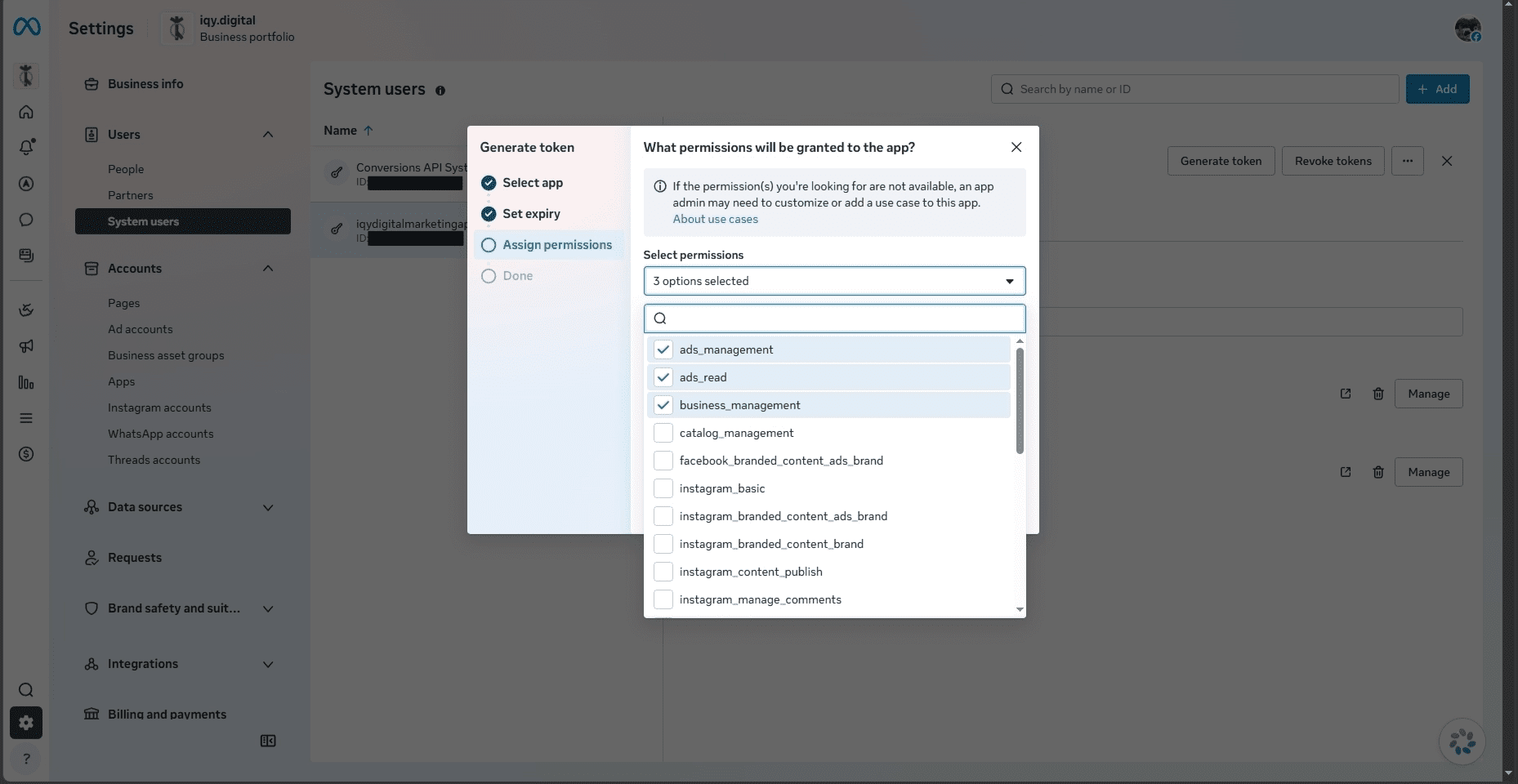
You rely on OAuth 2.0 scopes. Only three really matter for this work:
ads_read(Look at data and performance)ads_management(Build and edit campaigns)business_management(Manage pages and assets)
4. Choosing the right token
This is where most developers mess up. Short-lived tokens expire in an hour. Long lived tokens last 60 days, which sounds fine until your pipeline crashes over a holiday weekend because an automated refresh failed.
For production, create a System User inside Business Manager. This is a non human identity representing your script. Generate a token for it, check the permissions, and store it securely. These tokens never expire, and they won’t stop working if an employee leaves the company.
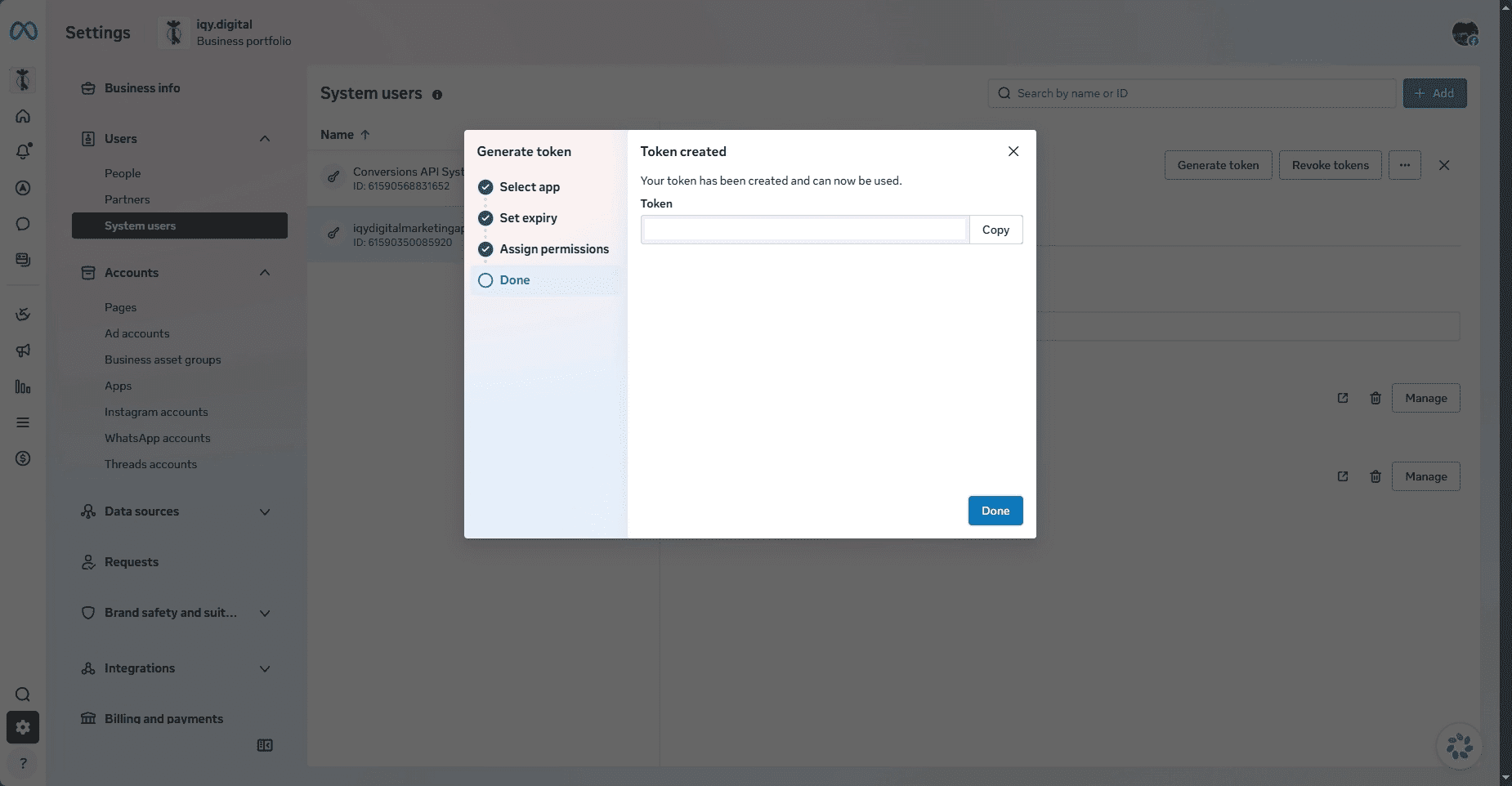
Please kindly store that token in password manager.
Verify before you build
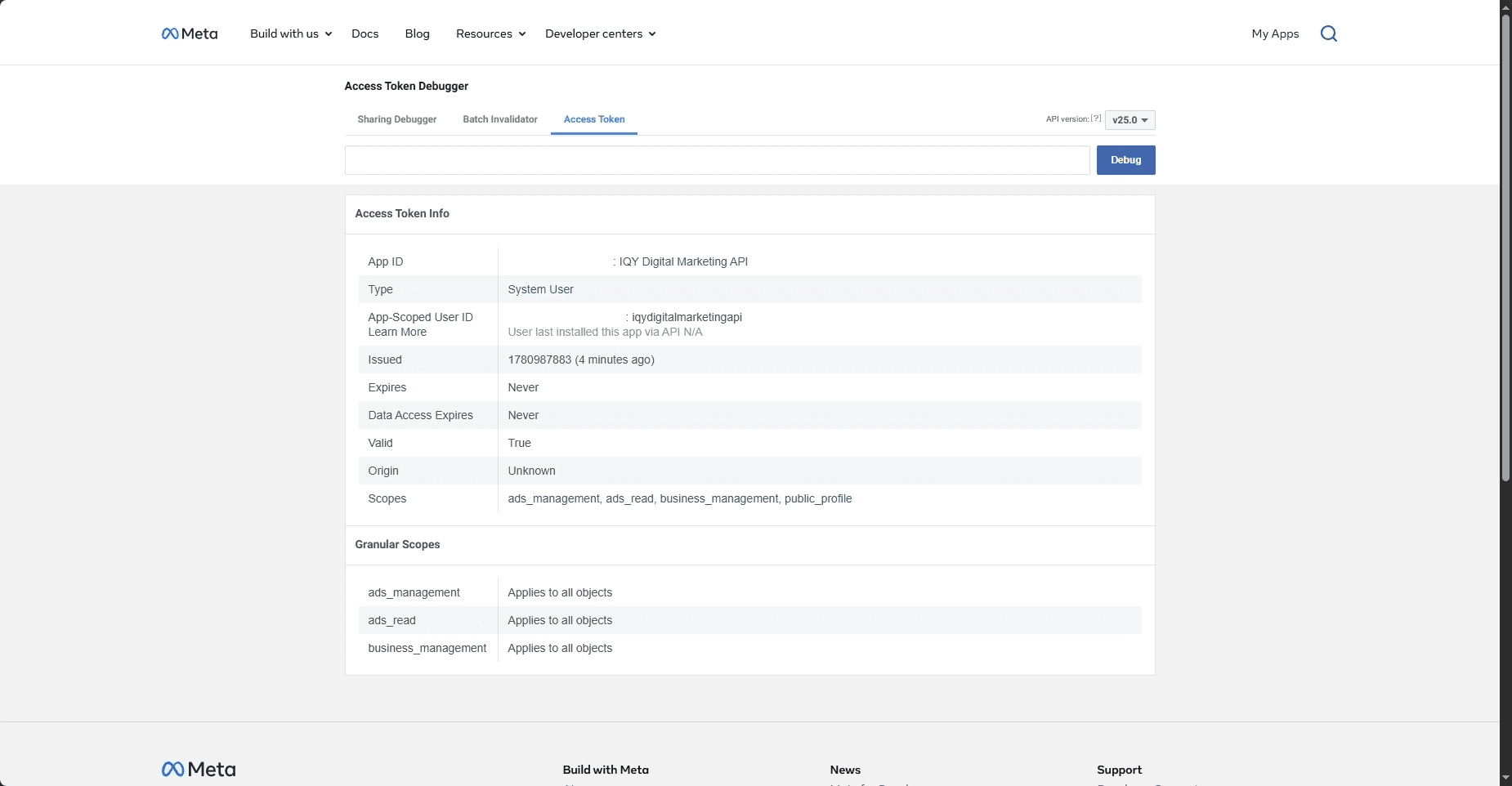
Before writing integration code, paste the token into the Access Token Debugger. For a correctly set up system user token you should see Type: System User, Expires: Never, Valid: True, and your three scopes listed. If a scope is missing, regenerate the token from Business Manager with the right boxes checked. Two minutes of checking here saves an hour of decoding cryptic permission errors later because error code 200 in particular tells you almost nothing about which permission is missing.
First call
Sanity-check the whole chain by listing the ad accounts your token can see in Meta Graph API Explorer:
GET https://graph.facebook.com/v25.0/me/adaccounts?fields=id,name,account_status
?fields=id,name,account_status
&access_token=YOUR_TOKEN
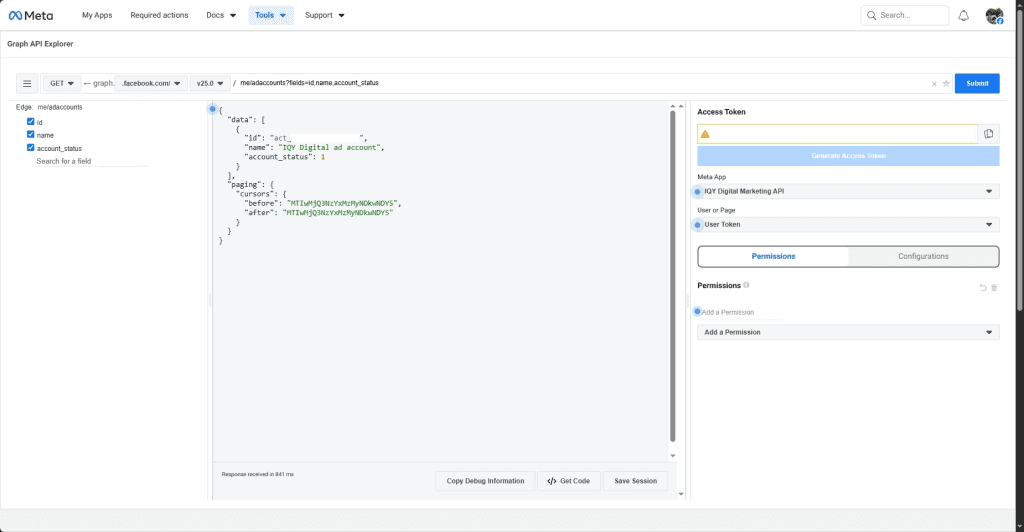
If you get back an array of account objects with IDs and names, everything works from app, token, permissions, Business Manager link. That means you’re in. the matrix. Just kidding though.
Building Campaigns Programmatically
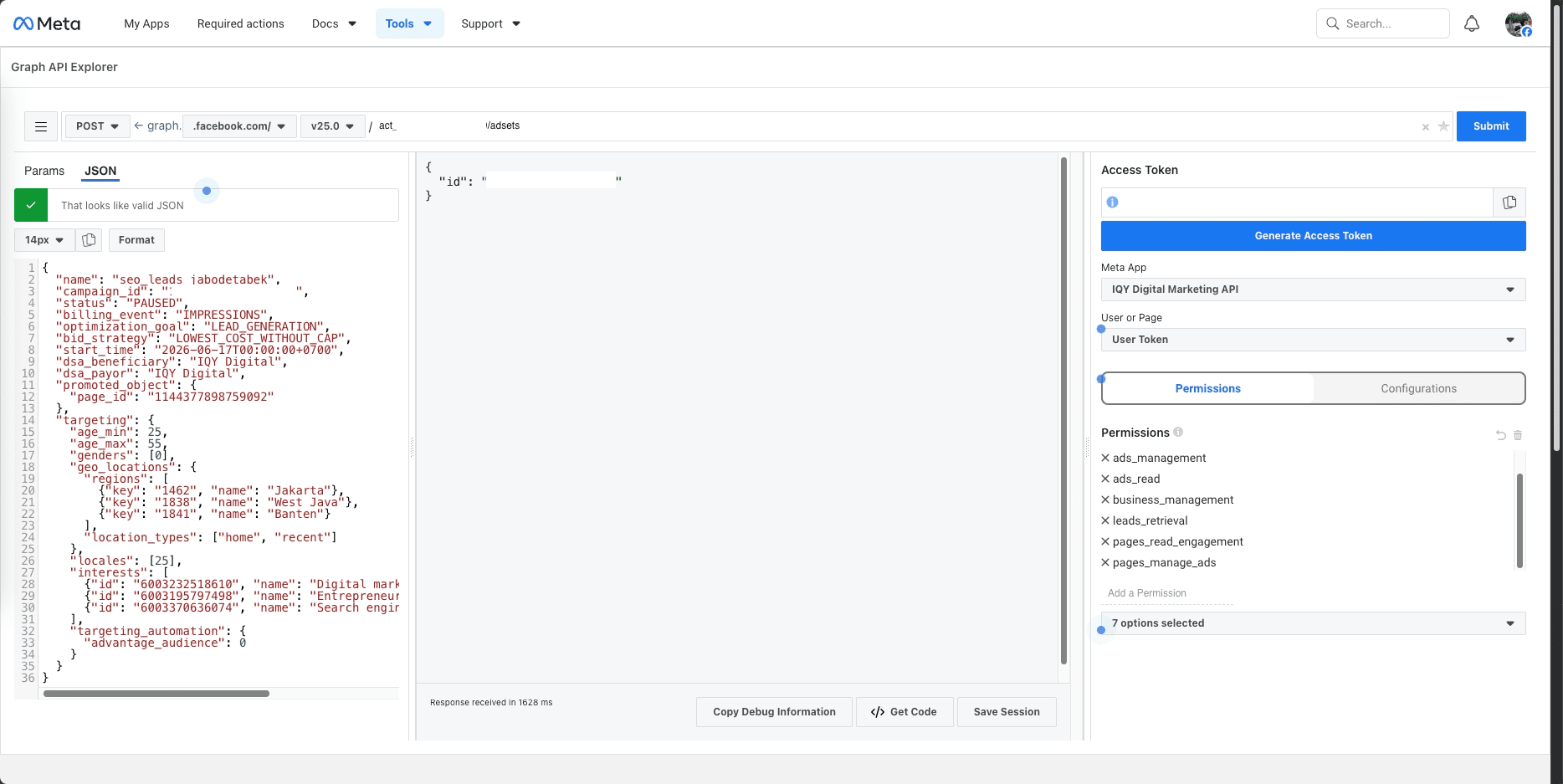
Meta strictly enforces a three tier hierarchy: Campaign, Ad Set, Ad. You cannot skip a step. Below you will find an example of JSON code to create create Campaign and Ad Set on Graph API Explorer.
1. Campaign JSON codes
POST https://graph.facebook.com/v25.0/act_{ad_account_id}/campaigns
{
"name": "seo_leads_jabodetabek",
"objective": "OUTCOME_LEADS",
"status": "PAUSED",
"special_ad_categories": [],
"buying_type": "AUCTION",
"daily_budget": 250000,
"bid_strategy": "LOWEST_COST_WITHOUT_CAP"
}
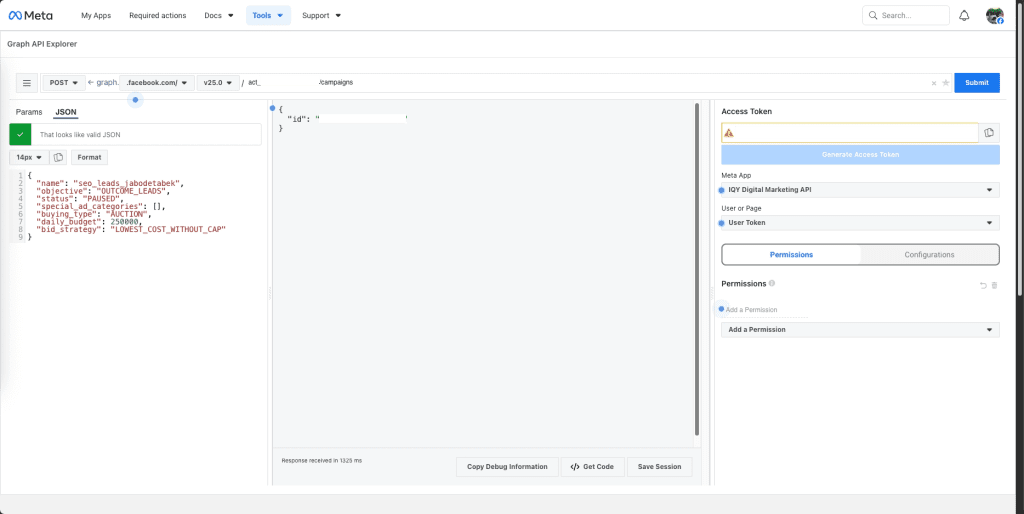
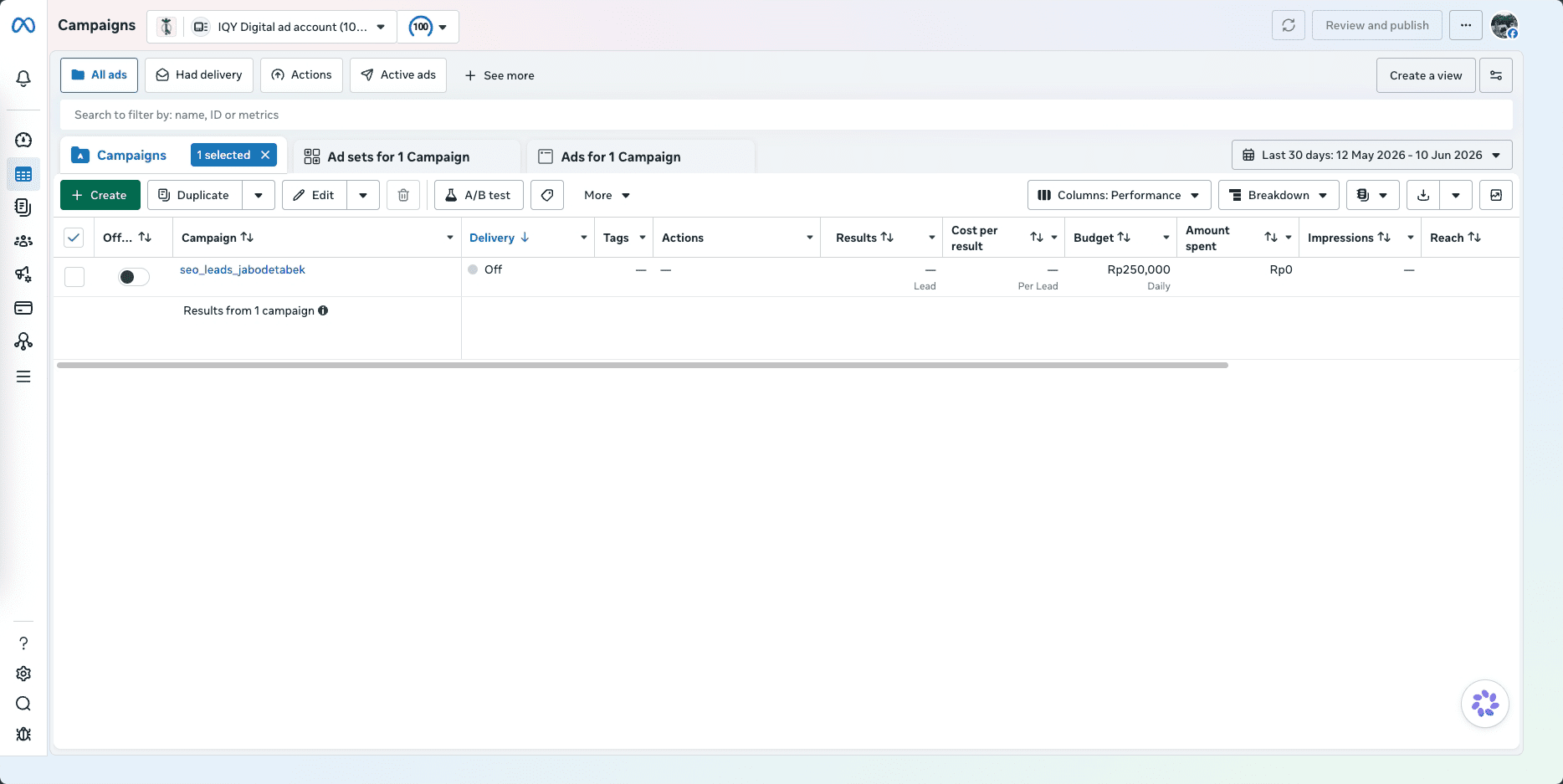
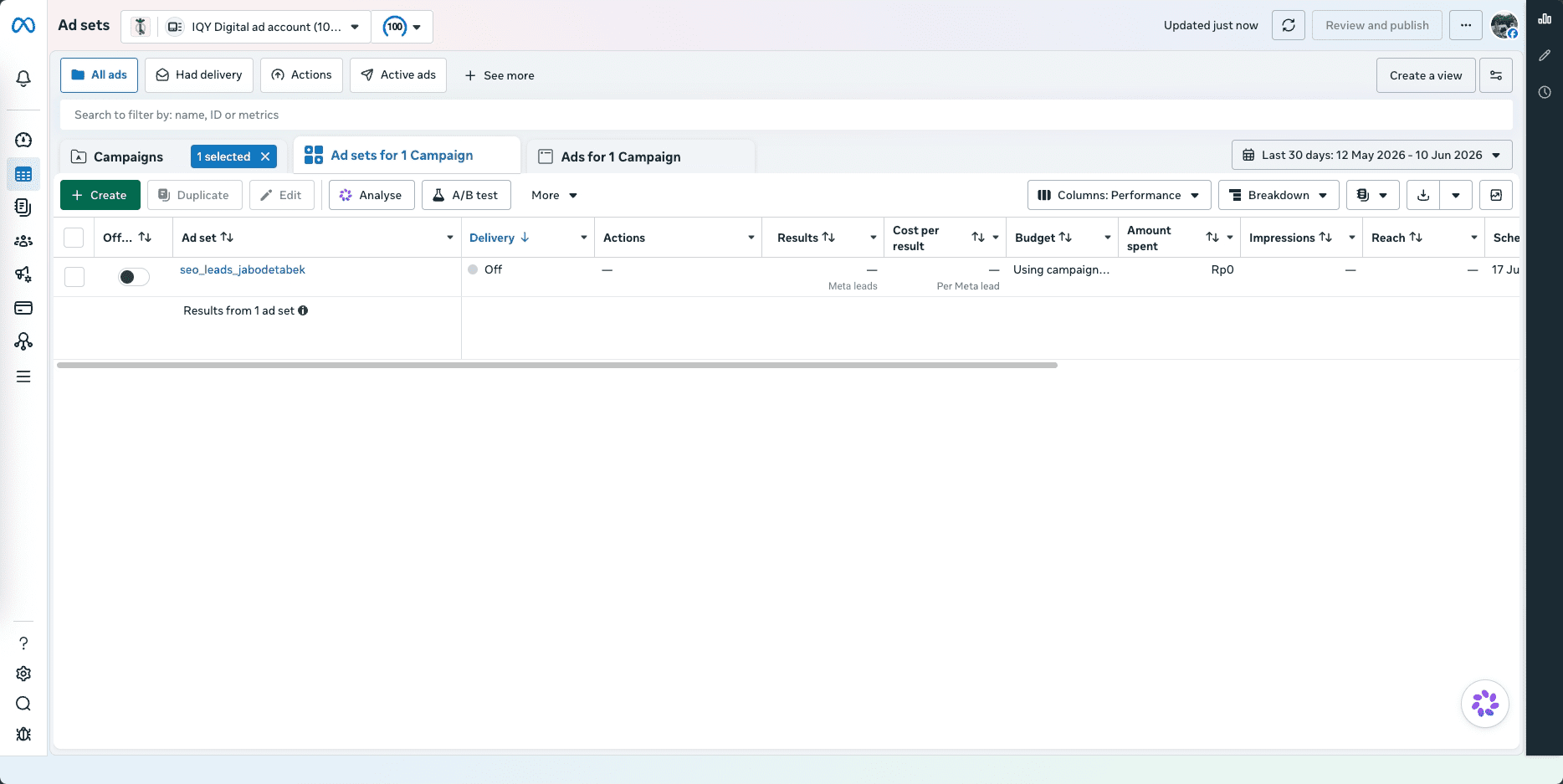
Create everything in PAUSED status. Spend should never go live while you’re still wiring up the layers underneath, and an active campaign with a half-configured ad set is exactly the kind of mistake you only make once. You can also further verify that code in Meta Ads Manager.
2. Ad Set JSON codes
POST https://graph.facebook.com/v25.0/act_{ad_account_id}/adsets
{
"name": "seo_leads_jabodetabek",
"campaign_id": "campaign_id",
"status": "PAUSED",
"billing_event": "IMPRESSIONS",
"optimization_goal": "LEAD_GENERATION",
"bid_strategy": "LOWEST_COST_WITHOUT_CAP",
"start_time": "2026-06-17T00:00:00+0700",
"dsa_beneficiary": "IQY Digital",
"dsa_payor": "IQY Digital",
"promoted_object": {
"page_id": "page_id"
},
"targeting": {
"age_min": 25,
"age_max": 55,
"genders": [0],
"geo_locations": {
"regions": [
{"key": "1462", "name": "Jakarta"},
{"key": "1838", "name": "West Java"},
{"key": "1841", "name": "Banten"}
],
"location_types": ["home", "recent"]
},
"locales": [25],
"interests": [
{"id": "6003232518610", "name": "Digital marketing"},
{"id": "6003195797498", "name": "Entrepreneurship"},
{"id": "6003370636074", "name": "Search engine optimisation (software)"}
],
"targeting_automation": {
"advantage_audience": 0
}
}
}
Use ODAX terminology, Meta dropped legacy objectives like LINK_CLICKS and CONVERSIONS. You must use modern objectives like OUTCOME_LEADS, OUTCOME_TRAFFIC, or OUTCOME_SALES. Old endpoints will reject your requests outright.
3. Ads and creatives
An ad is the join between a creative and an ad set. Creatives can be defined inline or created once as standalone objects and referenced by ID. At any kind of scale, do the latter. One creative attached to many ads keeps the account clean and your code shorter. The creation call itself is small: adset_id, a creative_id or inline spec, name, and status (paused, as always, during setup).
Surviving Production at 1:00 AM
When things break at scale, it’s usually due to one of two things:
1. Business Use Case (BUC) Rate Limits
Meta doesn’t use a simple “X calls per minute” limit. They give your app a variable budget based on how large and active your managed accounts are. Check the x-business-use-case-usage headers on every response. If your usage spikes past 80%, slow down your script before Meta hits you with Error 17 (Throttling).
2. The Sneaky Batch Success
To save bandwidth, you can batch up to 50 sub-requests into one HTTP call. However, Meta will return an HTTP 200 (Success) for the main request even if every single sub-request inside it failed. Always write your error handlers to scan the individual codes inside the response array, or you will miss critical failures.
Keep an eye on version updates. Meta rotates versions quarterly and supports them for about two years. If your codebase ignores updates, your system won’t break because of a bug you wrote, it will break because a base URL quietly expired. Keep your scripts modular, use system tokens, and test your code in pause mode first.
FAQ
Is the Marketing API free?
The API itself, yes. You pay for ad spend exactly as you would otherwise; the API is just a different interface to the same account.
Do I need App Review?
Not for working with your own ad accounts because development mode allows every Marketing API permission without review. Review becomes mandatory when your app touches other users’ or businesses’ data, e.g. a SaaS product managing campaigns for customers.
Marketing API vs. Graph API, Chad what’s the difference?
The Graph API is Meta’s general-purpose API across all its platforms. The Marketing API is a specialized layer on top, scoped to advertising. Same infrastructure, same base URL.
Where’s my ad account ID?
Top navigation in Ads Manager, and in the URL, format act_XXXXXXXXXX. The act_ prefix is required in API calls, not decorative.
How often do new versions ship?
Quarterly, each supported for about two years. Deprecation dates are announced ahead of time via the changelog and emails to app admins.
Does this cover Instagram ads?
Correct.
Best token type for production?
Use system user tokens.
What about iOS 14?
The API itself is unaffected, your calls come from a server, not a user’s device.